
Build the form in Salesforce. Publish it anywhere.
Build a branded form in the drag-and-drop builder, map its fields to objects, publish it, and every answer lands on the right Salesforce record. No middleware, no re-keying.
Intake lives in a separate form tool, then someone copies the answers into Salesforce by hand: slow, and error-prone.
Forms that write straight to the record, on brand, with nothing to re-key.
Everything you need, nothing you have to bolt on.
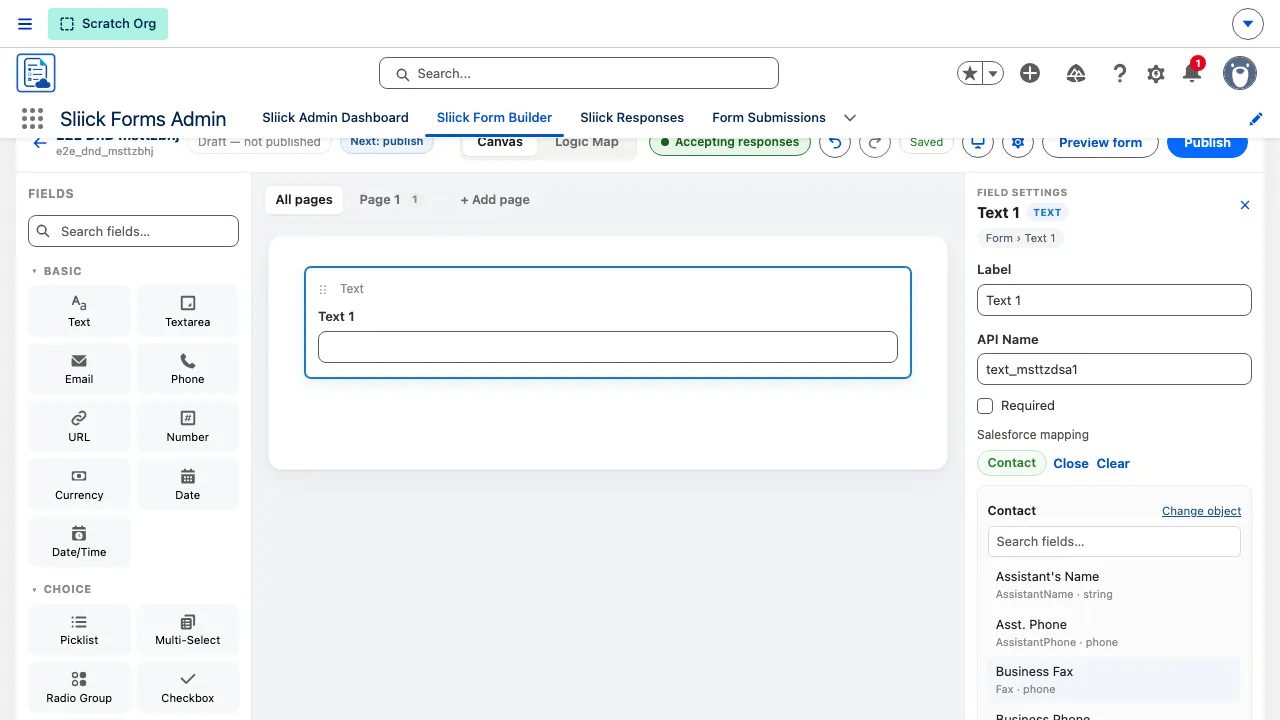
Drag-and-drop builder
Drag a field to an exact position, drag a card back to the palette to remove it, and undo any of it. Structural blocks move and delete as a unit.
Conditional logic
Build conditions row by row and read each rule back in plain English, then check the whole form at once in the Logic Map with simulation mode.
Multi-page forms
Pages live in a tab bar: add, rename, duplicate, rule and delete a page, and give each one its own visibility condition.
Sections, columns and repeating groups
Group fields into collapsible sections and side-by-side columns, and collect line items with repeating groups that create child records under the right parent. Blocks nest: a section inside a section or a repeating group, and a repeating group inside a column.
Mapping, matching, record types
Map each field to Object.Field, choose the record type new records get, and tick fields to match on so a submission updates the right record instead of duplicating it.
Personalised links from a record
Generate a link from a record page, a Flow or Apex and it opens the form already filled in from that record. See what it will carry before you create it, add a one-off value for this link only, and it expires in 7 days and stops working once the form is submitted.
Versions and A/B tests
Publishing snapshots a fixed version while your draft carries on. Compare versions, restore one, or run a 50/50 test against the live version with a significance readout.
Responses console
Filter, export a real spreadsheet, preview what processing would do, correct answers before committing, and retry anything that failed. Processing runs under your own permissions.
Staff who work responses, not forms
The Sliick Forms Operator permission set gives the responses console and the record-link button without the form builder, so a case worker or front desk can send links and work the queue without being able to change a form.
Public or private
Host a form on your own public address, behind portal login, or open to anonymous visitors on Experience Cloud, and let one page serve every form in your catalogue.
Save-and-continue
A respondent can leave a long form and pick it up later from any device, with their answers, uploaded files, and repeating-group rows exactly as they left them.
See it in action.
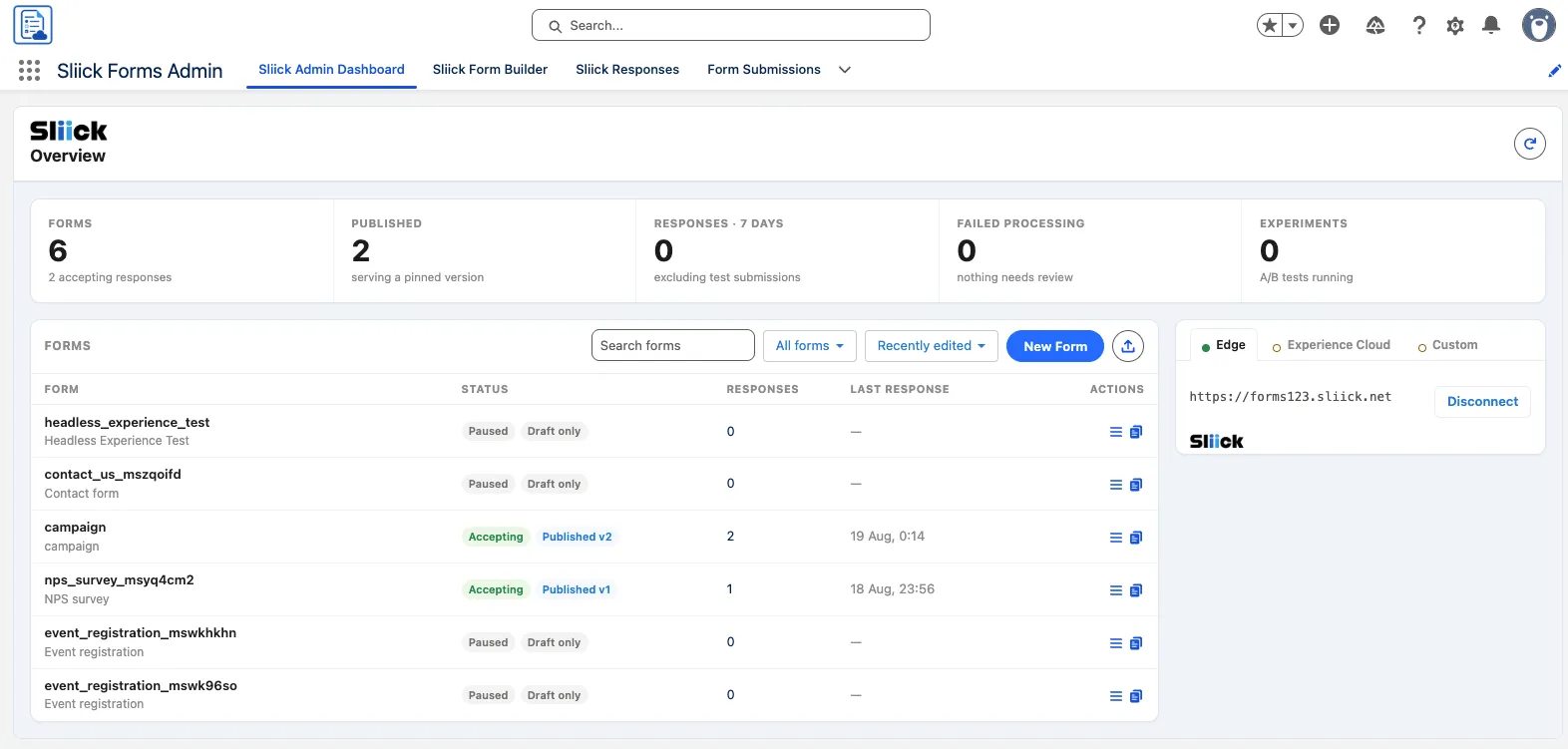
Search, folders, sort, New Form, Import and Duplicate all live on the dashboard, with counts for published forms, recent responses, and anything that failed processing. The Delivery panel shows every place your forms are published, Sliick Edge, Experience Cloud, or a custom site, each with its own status.
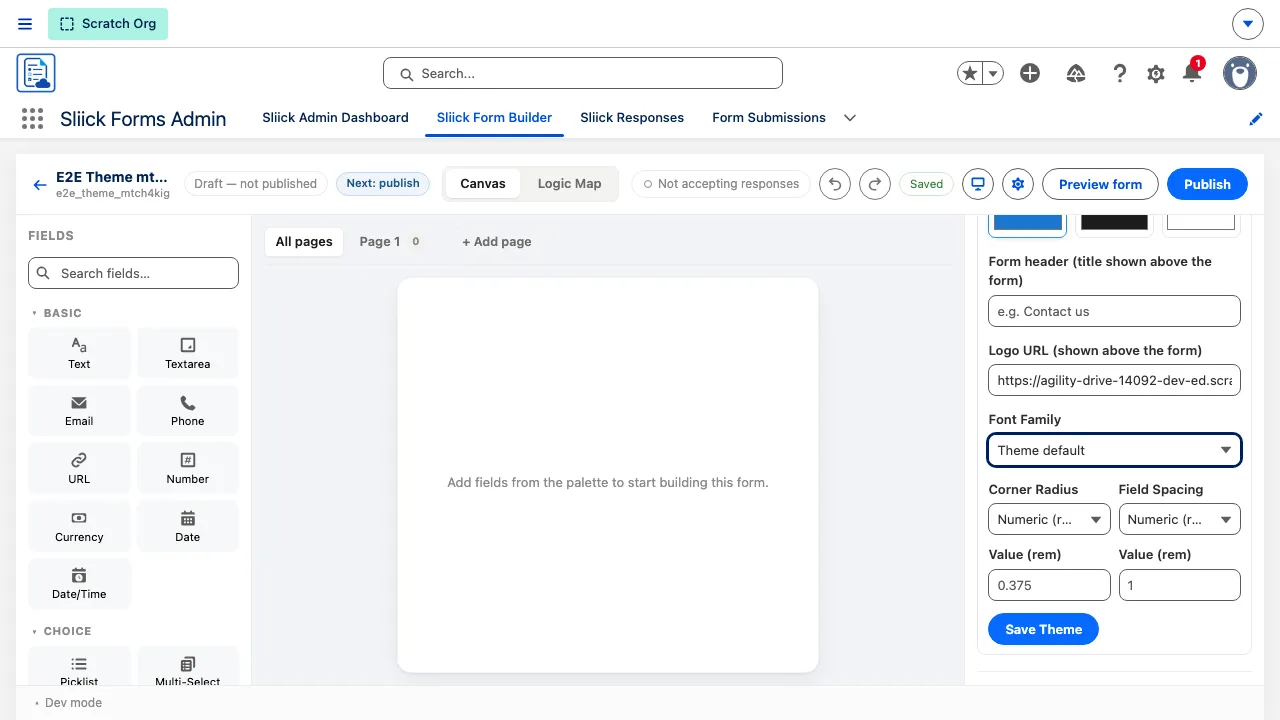
Brand colour, font, logo, rounded corners and space between fields are all set from one panel. The two length settings are chosen by name, Square through Pill and Compact through Roomy, with a custom length still available and a live preview as you type.
How Sliick Forms works
Free to install, native, and running the same day - here's the whole path.
Install Sliick Forms free
Managed package from AppExchange, then assign the Sliick Forms Admin permission set to your authors.
Build the form, no code
Drag fields onto the canvas, add visibility rules, split it across pages, and map each field to an object and field.
Publish and share it
Publishing pins a fixed version and makes the form live. Host it on your own public address, an Experience Cloud page, or both, then share the link or QR code, or send one person a link already filled in from their record.
Answers land on records
Submissions stage in the responses console, then map onto records, matching existing ones where you have set a match key.
More Sliick apps
See all five apps


Put Sliick Forms to work this week.
Free to install from AppExchange. No sales call, and you stay in control of your data.