
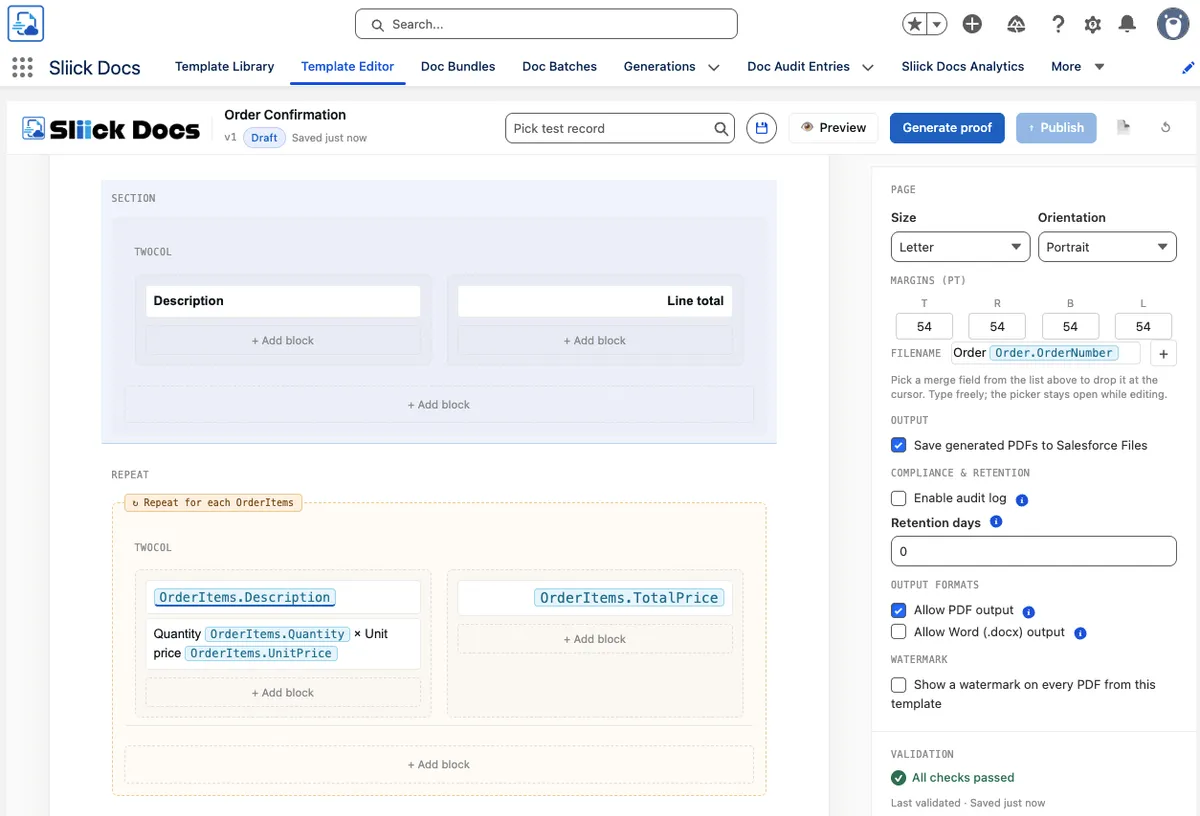
Sliick Docs v1.3: Generally Available
Sliick Docs v1.2 shipped in May with Microsoft Word output alongside PDF, a list-view mass action, a compliance audit log, retention policies, an analytics dashboard, barcodes and QR codes, image-block merge-field sourcing, and six ready-to-import starter templates.
v1.3 builds on that with two areas of focus: faster, less repetitive template authoring, and the runtime controls compliance teams have asked for. It remains native-tier, with no outbound callouts, no new permission sets, and no new external dependencies.
This article gives a high-level overview of what has changed since v1.2. For the step-by-step walkthrough, see the Sliick Docs Complete User Guide. To browse the starter templates, head to the starter gallery.
Authoring improvements
Several additions reduce the manual work involved in building a template:
- Running-user merge fields. Templates can now reference details of the person generating the document (such as name, title, contact details, and manager) rather than the record owner. This supports common patterns like a “Prepared by” footer without hard-coding any individual’s name.
- Current date and time tokens. New built-in tokens insert today’s date or the current date and time, with optional formatting, so authors no longer maintain “as of” lines by hand.
- Approval history. Templates can now include a record’s Salesforce approval history (who approved it, their comments, and when), which suits contract cover sheets, audit packs, and sign-off summaries.
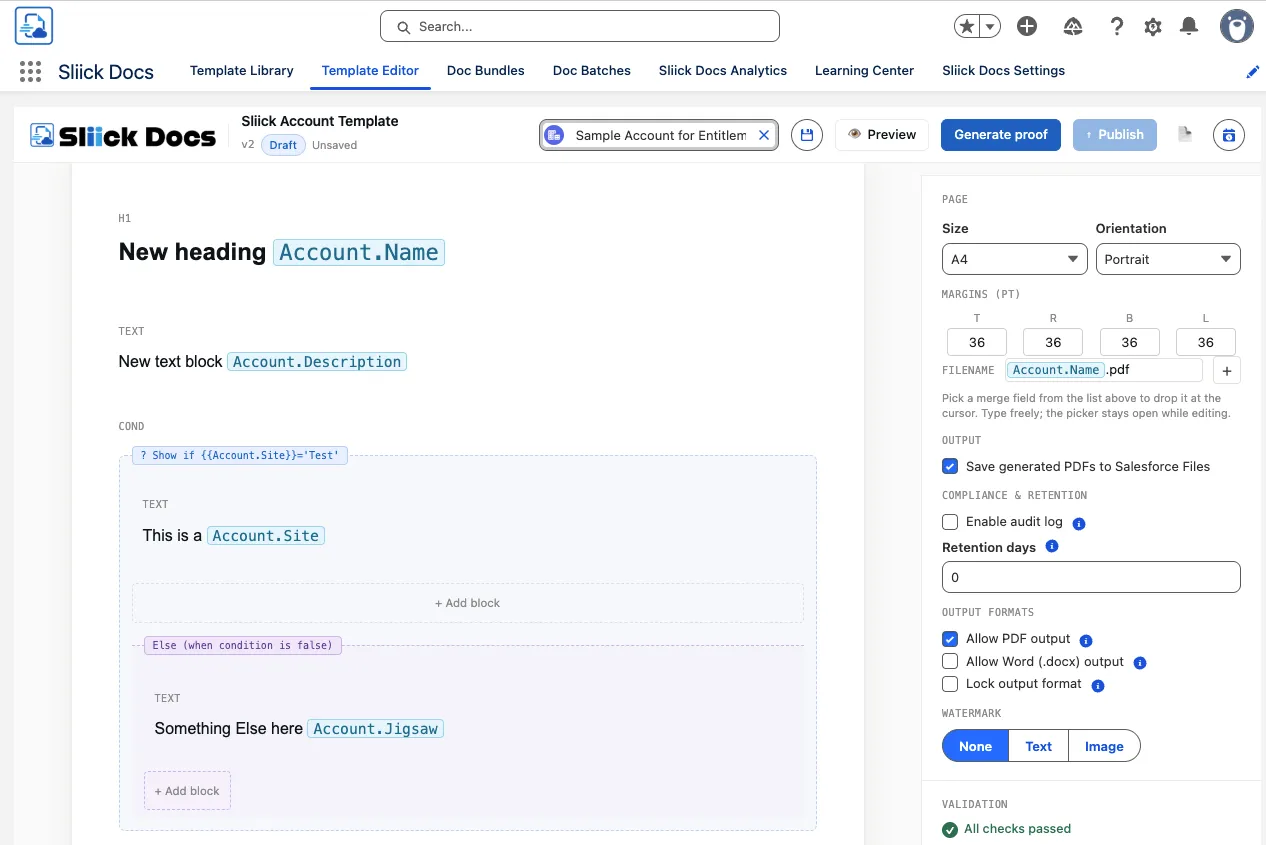
- Conditional else branches. Conditional blocks now support an “else” branch, so a single block can handle both outcomes instead of two blocks kept in sync manually.
- Image handling. Static images now preview directly on the design canvas while authoring, and inline images gain consistent sizing options that render the same way in both PDF and Word output.
A range of smaller editor refinements also improve performance and day-to-day usability when working with large schemas and template libraries.
Compliance and access controls
Three new template-level controls let compliance teams define rules that apply consistently across every way a document is generated - record page, batch, Flow, and list-view mass action.
- Audience visibility. A template can be restricted to users who hold specified permission sets. This keeps sensitive templates (for example, board packs, HR letters, or executive variants) visible only to the intended audience.
- Per-record targeting. A template can be restricted to specific records, so it only appears and only generates for those records. Batch runs automatically filter to the records in scope rather than failing outright.
- Output-format lock. A template can be locked to a single output format, preventing, for example, a signed contract from being generated as an editable Word document. Previously this relied on convention; the platform now enforces it.
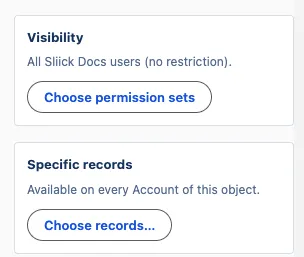
Image watermarks
v1.3 adds an image watermark to complement the text watermark introduced in v1.0. Authors can apply an image already stored in Salesforce Files as a watermark, with an adjustable opacity, and combine it with the existing text watermark - for example, a logo paired with a “DRAFT” stamp. Both PDF and Word output honour the image watermark, and the editor previews it during authoring.
Admin setup checklist
A new Setup tab gives admins a single readiness view when onboarding the package, covering items such as permission sets, the org-wide email address, and other common prerequisites. Each item shows its status and links directly to the relevant Setup page. Most past install issues traced back to one of these prerequisites, and the checklist surfaces them before the first template is built.
More scalable template format
Templates now export in a new .sdt format that handles larger, image-heavy templates more reliably and gives clearer feedback on import. Templates exported from v1.2 still import, so no existing files need to be re-exported. The starter-template gallery now uses the new format, and the starter templates default to A4.
Upgrading
Sliick Docs v1.3 is live on the AppExchange. New installs get v1.3 directly.
A few notes for existing orgs:
- All v1.2 templates keep working unchanged. The new compliance controls are opt-in and do not change existing behaviour until configured.
- The new merge fields and date/time tokens are additive and only appear where an author inserts them.
- The new
.sdttemplate format also imports templates exported from v1.2. - Existing Flow invocables, list-view buttons, and batch workflows are unchanged. No code, metadata, or integration changes are required.
If you would like help planning where the new compliance controls and watermarks fit in your org, get in touch.
Where to start
- Sliick Docs Complete User Guide - the full reference, updated for v1.3.
- Starter templates - six ready-to-import templates, now A4-default and in the new format.
- Sliick Docs product page - feature overview and AppExchange install link.
v1.3 addresses the authoring and compliance needs customers raised after v1.2. We welcome continued feedback, and the next release is in design.