
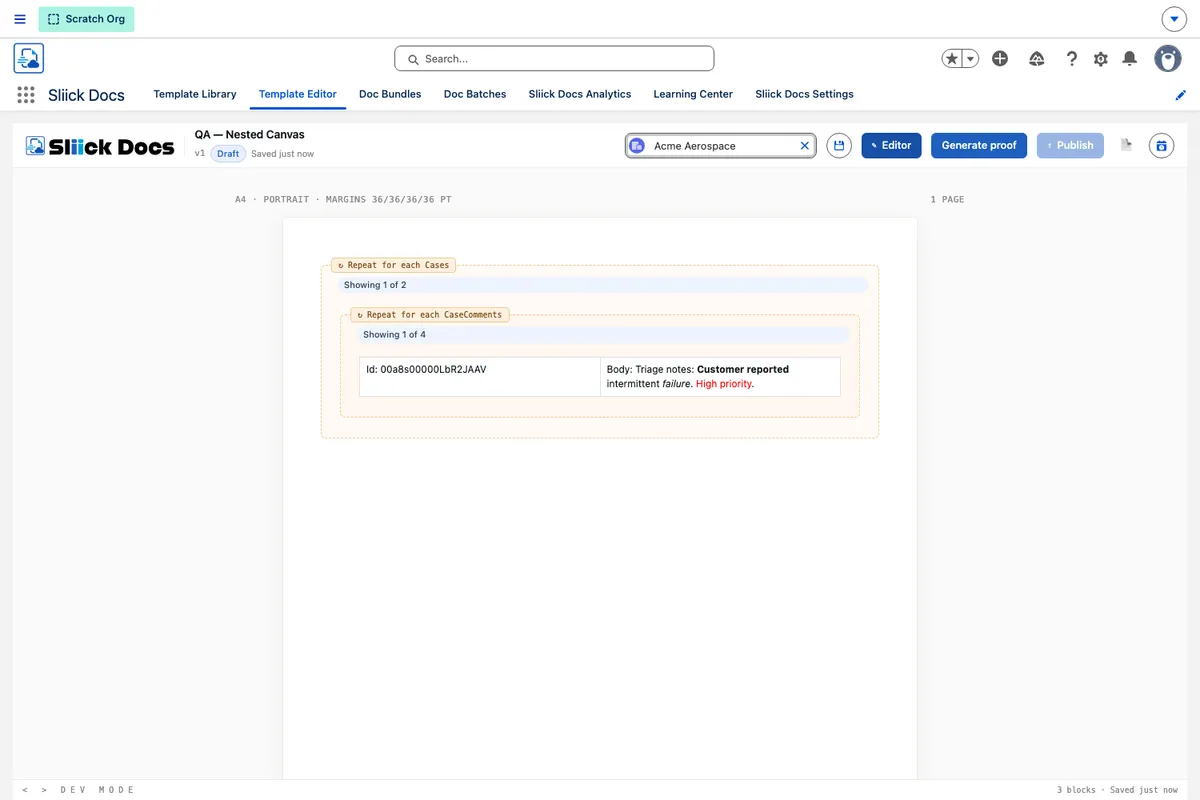
Sliick Docs v1.5: Generally Available
Sliick Docs v1.4 made the editor a calmer place to work, with a redesigned layout, related-list merge fields, find and replace, and template folders. v1.5 turns to what the documents themselves can do: it lets a single template mirror the full shape of your Salesforce data, shows you the finished result while you are still building, and treats formatted text fields as first-class content. It remains native-tier, with no new external dependencies.
This article gives a high-level overview of what has changed since v1.4. For the step-by-step walkthrough, see the Sliick Docs Complete User Guide.
Documents that follow your data, however deep it goes
This is the headline of v1.5. Until now, a template could repeat over one level of related records. You could list every case on an account, or every opportunity. What you could not do was go a level deeper - list each case and, underneath it, every comment on that case.
v1.5 removes that ceiling. A repeating section can now sit inside another repeating section, so a single template can walk a record, then its related records, and then the detail under each of those.
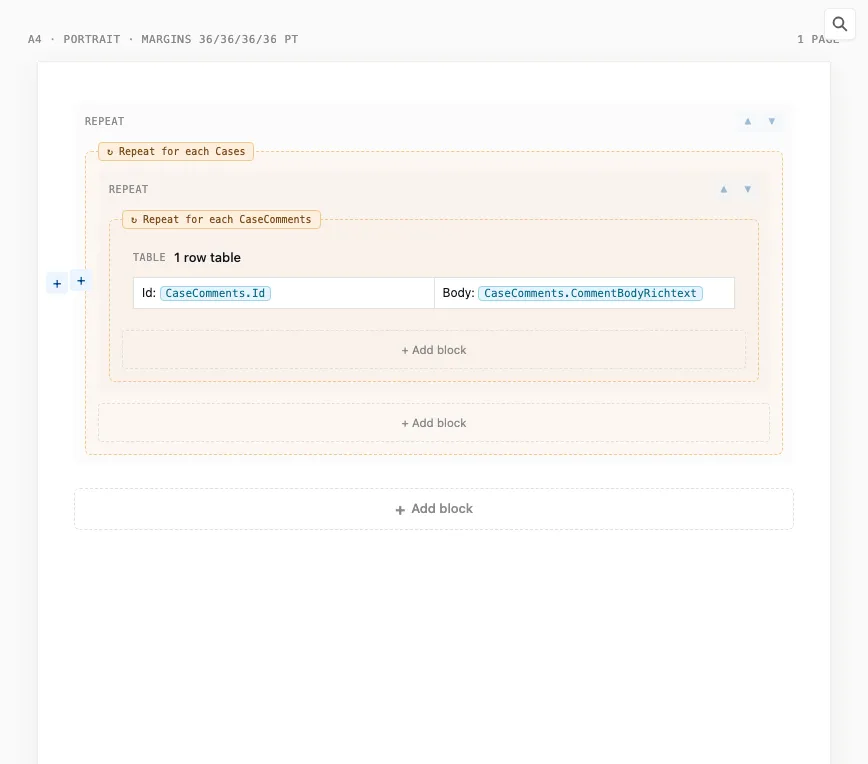
Real business documents are rarely flat. An account statement groups charges under each deal. A project report lists tasks under each milestone. A case summary shows comments under each case. Before v1.5, documents like these meant an awkward workaround or dropping out to a separate tool. Now the template simply follows your data down to the level of detail the document actually needs, and it does so for both PDF and Word output.
See the real document while you build it
Templates are built from merge fields - placeholders such as the account name or a case number. Previously the canvas showed those placeholders as labels, so you only saw the real document after generating it.
In v1.5 the canvas can fill in with real values from a chosen test record. Placeholders become actual names and numbers, and each repeating section shows a real row with a note telling you how many there are in total.
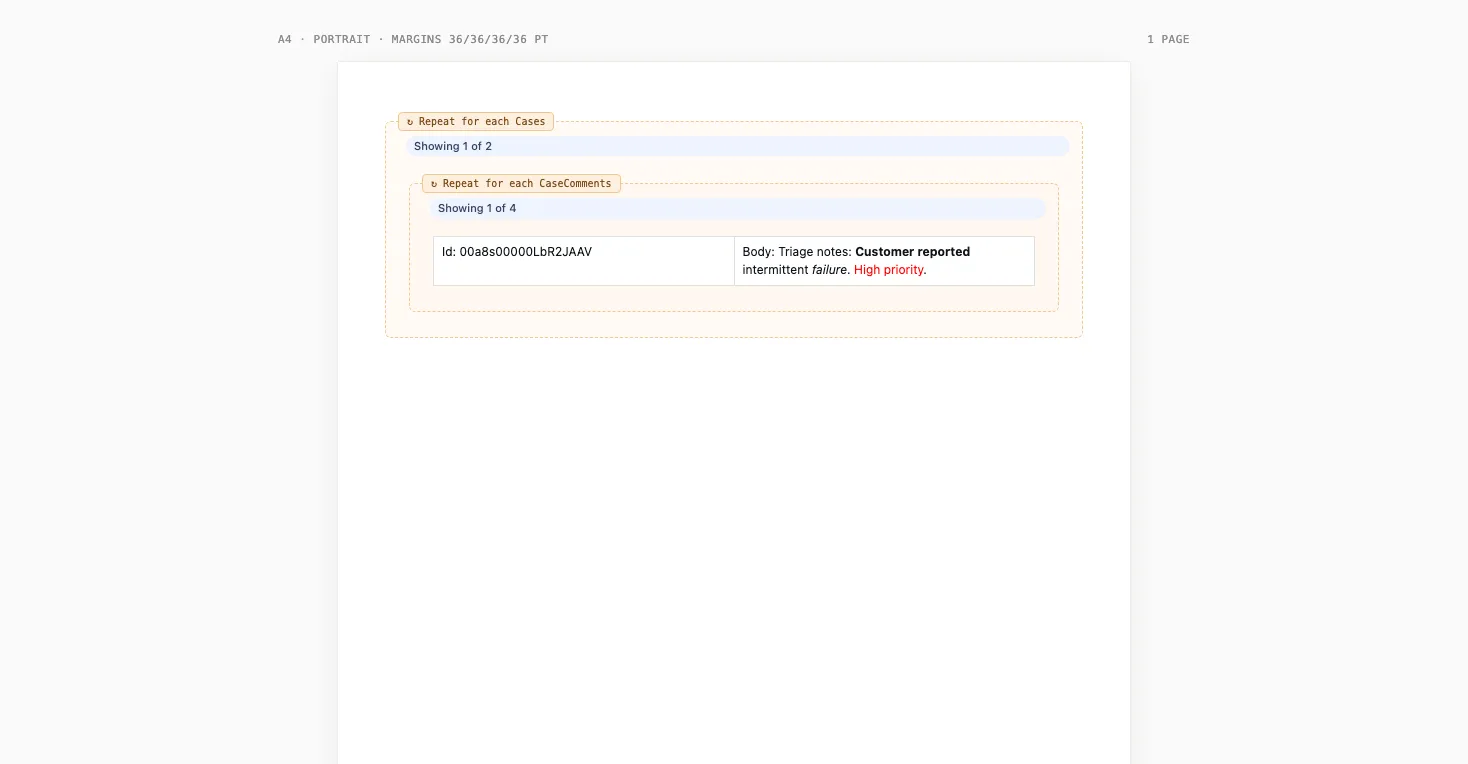
The old rhythm was build, generate, check, adjust, and generate again. Seeing real data on the canvas collapses that loop. You catch a wrong field, a clumsy layout, or an empty section while you are still in the editor, rather than after producing a stack of documents.
Formatted notes flow straight through
Salesforce has plenty of rich-text fields - formatted notes, descriptions, and write-ups that carry bold text, bullet points, and links. Earlier versions pulled those fields in as plain text and dropped the formatting.
v1.5 recognises a rich-text field automatically and carries its formatting through to the finished document, in both PDF and Word output. You can see it in the preview above: the comment text under each case comes straight from a rich-text field. The formatting in those fields is usually there for a reason - a scope of work, a set of terms, or a handover note reads far better as a tidy list than as one run-on paragraph. The content now arrives in your document looking the way it was written, and it is cleaned of anything unsafe along the way.
A field picker that knows where you are
With documents now nesting several levels deep, finding the right field could get confusing. The merge-field browser in v1.5 follows your cursor. At the top level it shows the base record’s fields. When you click inside a repeating section, it switches to the fields that make sense there, and keeps a shortcut back to the top-level record at the top of the list.
The result is that you are only ever offered fields that will actually resolve where you are standing, so reaching for a top-level value from deep inside a nested section is still a single click, and there is far less guesswork.
Fewer layout restrictions
Alongside the data work, v1.5 lifts a set of older limits on how blocks can be arranged. Sections, callouts, and conditional blocks can now sit inside repeating sections and columns, so you can build the layout you actually want rather than working around what the editor used to allow.
Upgrading
Sliick Docs v1.5 is live on the AppExchange. New installs get v1.5 directly.
A few notes for existing orgs:
- All v1.4 templates keep working unchanged. The new capabilities are additive - existing templates render exactly as before until you choose to use nested sections or rich-text fields.
- No configuration, metadata, or integration changes are required.
If you would like a hand designing a document that rolls up detail under a parent record, get in touch.
Where to start
- Sliick Docs Complete User Guide - the full reference, updated for v1.5.
- Sliick Docs product page - feature overview and AppExchange install link.
v1.5 builds on the feedback customers shared after v1.4. We welcome more of it, and the next release is in design.